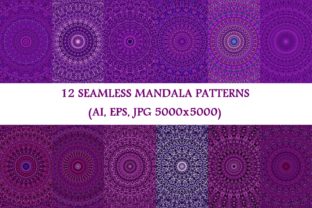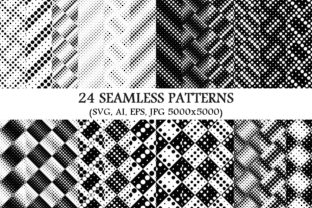
24 Seamless Dot Patterns for Designers & Creators
Imagine opening a single package and instantly having 24 versatile, professionally crafted dot patterns—each one designed to tile perfectly, scale infinitely, and adapt across media. That’s what the 24 Seamless Dot Patterns collection delivers: not just dots on a page, but flexible visual building blocks ready for real work.
What Makes These Patterns “Seamless” — And Why It Matters
A seamless pattern repeats without visible edges or breaks—no awkward seams, no mismatched spacing, no pixelated gaps when scaled. These 24 dot patterns are built with mathematical precision in vector format, so they stay crisp whether used as a subtle background on a business card or blown up across a 20-foot trade show banner.
The package includes four formats for each pattern: SVG (ideal for web and responsive design), AI (for Adobe Illustrator users who need editable layers and paths), EPS (broad compatibility with older print workflows), and high-res JPG (5000×5000 pixels, perfect for mockups or quick placement in non-vector tools like Canva or Figma). That range means you’re not locked into one software or use case.
For Beginners: Simplicity Without Sacrifice
If you’ve ever tried creating your own repeating dot pattern—only to find it misaligns at the edges or blurs when enlarged—you know how frustrating trial-and-error can be. With 24 Seamless Dot Patterns, beginners skip the technical learning curve and jump straight to applying design principles. You don’t need to understand anchor points or bounding boxes to use the SVG files in a free tool like Inkscape—or even drag the JPG into a Google Slides presentation.
One educator told us she uses the lightest monochrome dot pattern as a gentle background for student handouts—reducing visual clutter while keeping text highly legible. No design degree required. Just download, insert, adjust opacity if needed, and go.
For Designers & Freelancers: Flexibility Meets Professional Rigor
Professional designers care about control—and these patterns deliver it. The AI and EPS files retain full vector editability: change dot size, spacing, color, or alignment with precision. Need a warm gray dot pattern instead of black? Adjust the swatch—not the entire file. Want tighter spacing for a luxury brand aesthetic? Scale the pattern repeat directly in Illustrator without distortion.
Freelancers juggling multiple clients appreciate having 24 distinct options—from tight micro-dots ideal for tech branding to bold, widely spaced monochrome dots that add rhythm to editorial layouts. Instead of re-creating variations from scratch for each project, they choose, customize, and deliver—saving hours per client.
For Marketers & Small Business Owners: Consistency Across Touchpoints
Your brand’s visual language shouldn’t fracture between your website, email newsletter, printed brochure, and Instagram story. 24 Seamless Dot Patterns help maintain cohesion. A soft, low-contrast dot background works equally well behind product photos on Shopify, as a subtle overlay in an email header, or as texture in a printable promo flyer.
One bakery owner uses one of the monochrome patterns as a watermark-style backdrop on her packaging labels—subtle enough to feel artisanal, strong enough to deter casual copying. Another used a medium-density dot pattern to unify a set of social media templates, giving her posts instant visual recognition—even without logos.
Why Format Variety Is a Quiet Superpower
- SVG: Loads fast, scales infinitely, supports CSS animation and transparency—perfect for modern websites and interactive prototypes.
- AI: Full layer control, easy recoloring, and integration with Illustrator’s pattern editing tools—ideal for customizing or building larger compositions.
- EPS: Trusted in print production environments where legacy RIPs or prepress systems require stable, predictable vector output.
- JPG (5000×5000): High-resolution fallback for tools that don’t support vectors—great for mood boards, client presentations, or quick mockups in Photoshop or Affinity Photo.
For Educators & Content Creators: Teaching Visual Literacy, Not Just Software
Teaching design fundamentals doesn’t mean starting with Bezier curves. One university instructor uses the monochrome dot patterns to demonstrate concepts like rhythm, density, and visual hierarchy—asking students to compare how spacing affects perception of weight or movement. Because all 24 patterns share the same core logic (dots only, no gradients or textures), differences are clear, measurable, and instructive.
Bloggers and course creators also embed the SVG versions directly into tutorials—showing live examples of how patterns behave responsively, or how changing one variable (like stroke width) transforms the entire feel of a layout.
For Hobbyists & DIY Enthusiasts: Texture That Feels Intentional
Hobbyists often seek design assets that look polished—not “stock,” but thoughtfully made. These dot patterns avoid cliché: no overused halftones or retro filters. Instead, they offer quiet sophistication—ideal for custom stationery, scrapbook elements, laser-cut textile designs, or even vinyl decals for planners and journals.
A knitting blogger uses a sparse dot pattern as a subtle watermark behind her PDF pattern instructions—adding personality without competing with diagrams. Another sewist imported the SVG into her embroidery software to generate a simple dot motif for monogrammed tote bags.
How to Know If This Fits Your Needs
Ask yourself:
- Do you regularly need clean, scalable backgrounds that won’t pixelate or break when resized?
- Are you tired of searching endlessly for one “just right” dot pattern—only to find it’s low-res, poorly aligned, or locked behind a subscription?
- Do you value having options—different densities, weights, and rhythms—to match varied moods or messages?
- Do you work across platforms (web, print, presentation) and need reliable formats for each?
If yes, then 24 Seamless Dot Patterns isn’t just another download—it’s infrastructure. It removes friction from decisions that shouldn’t slow you down: “What background goes here?” or “How do I make this feel more intentional?”
It’s not about adding complexity. It’s about having exactly what you need—24 times over—so you can focus on the work that matters most to you.