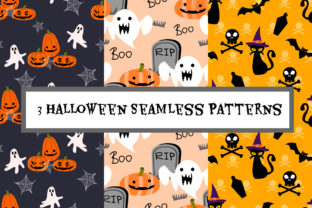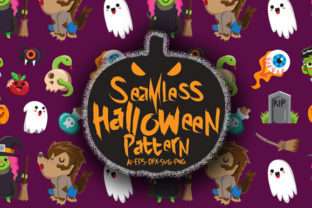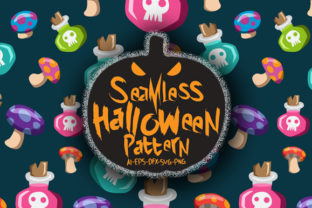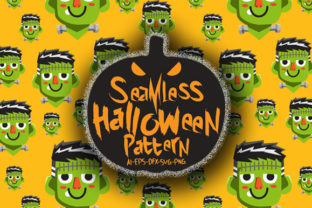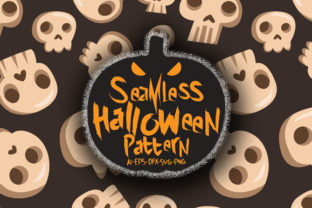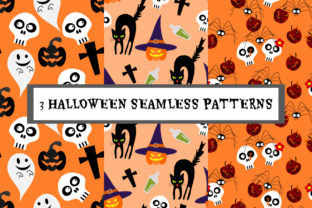
Three Halloween Patterns
Whether you're designing seasonal packaging for a small-batch candle brand, prepping classroom decorations for an elementary art lesson, or building a themed photo backdrop for a local event space—Three Halloween Patterns delivers immediate, professional-grade visual flexibility. These aren’t generic clipart repeats or low-res web graphics. They’re thoughtfully crafted, scalable vector patterns built for real-world use across physical and digital media.
What Makes These Patterns Stand Out
Each of the Three Halloween Patterns balances thematic clarity with design restraint. You’ll find one featuring stylized black cats and crescent moons arranged in a rhythmic, off-set grid; another with minimalist jack-o’-lanterns and bats layered over subtle crosshatching; and a third that uses abstract, flowing vines with hidden witch hats and candy corn accents—designed to read as texture first, motif second. All three avoid visual clutter while retaining unmistakable Halloween spirit.
They’re delivered in a single ZIP file containing both EPS 8 and high-resolution JPG versions. That means compatibility with Affinity Designer, Inkscape, Adobe Illustrator—and even tools like Canva (via JPG import) or Cricut Design Space (using EPS or high-DPI JPG). No font dependencies. No missing layers. No licensing surprises: they’re royalty-free for commercial and personal use.
Where These Patterns Actually Get Used
Professionals don’t just download patterns—they solve problems with them. Here’s how Three Halloween Patterns fits into daily workflows:
- Fabric & textile designers scale the EPS files to match yardage requirements, then test repeat alignment on mockups before sending to print-on-demand partners—no pixelation, no reworking.
- Educators drop the JPG versions into Google Slides or PowerPoint to create themed worksheets, bulletin board borders, or printable stationery—no need for Photoshop skills or subscription software.
- Small business owners apply one pattern as a subtle background behind product photos on Etsy or Instagram, reinforcing seasonal messaging without competing with the item itself.
- Event planners tile the vector files across large-format prints for backdrops, table runners, or banner headers—maintaining crisp detail even at 8 ft × 4 ft dimensions.
- Bloggers and content creators use the patterns as consistent visual anchors across October newsletter headers, Pinterest pins, and downloadable lead magnets—building recognizable, on-brand seasonal identity.
No Guesswork, No Glitches
Because these are native EPS 8 files—not PDF exports or traced JPEGs—they retain full editability. You can recolor individual elements, adjust spacing between motifs, or isolate components (like just the bats or just the vines) for custom composites. That’s critical if you’re adapting the pattern for accessibility—say, increasing contrast for a school handout or switching to a dark-mode-friendly palette for a digital presentation.
The JPG versions aren’t afterthoughts. They’re exported at 300 DPI and sized to common industry standards: 3600 × 3600 px (ideal for wallpaper or large backdrops) and 1200 × 1200 px (optimized for social tiles and web backgrounds). No upscaling required. No blurry edges.
Real Talk: What to Consider Before You Use Them
Even great assets need thoughtful application. Here’s what seasoned users keep in mind:
- Scale matters more than you think. A tight, dense repeat works beautifully on a fabric swatch but can overwhelm a website hero section. Try zooming out to 25% view when previewing on screen—or print a 4" × 4" test tile before committing to full-yard fabric orders.
- Color context changes everything. The same bat-and-pumpkin pattern reads playful on kraft paper gift wrap but eerie on glossy black cardstock. Test your intended substrate first—even digitally—by placing the JPG over a screenshot of your final layout.
- Don’t force thematic overload. Using all three patterns in one campaign can dilute impact. Instead, assign each one a distinct role: one for print (e.g., invitation suites), one for digital (e.g., email headers), and one for physical environments (e.g., window decals).
- Check your software’s EPS handling. While most modern vector apps open EPS 8 cleanly, older versions of Inkscape may require ungrouping after import. Keep a flattened JPG on hand as a fallback for quick edits or non-designer collaborators.
More Than Just “Halloween Stuff”
These patterns succeed because they avoid trend-chasing. There are no neon slime textures, no overused “spooky serif” fonts baked in, no forced TikTok-style motion effects. Instead, they offer clean, timeless structure—making them adaptable beyond October. Flip the color scheme to navy and gold, and the vine-based pattern becomes elegant for a fall wedding. Swap black for charcoal gray and the cat/moon design reads sophisticated—not kitschy—for a boutique skincare line’s limited-edition packaging.
That versatility is why educators repurpose them year after year—not just for Halloween units, but for lessons on symmetry, tessellation, and cultural symbolism in visual design. Freelance designers use them as starter frameworks, then customize spacing or swap motifs to build client-specific assets faster. And marketers appreciate how consistently they reinforce tone: friendly but not childish, spirited but not chaotic.
A Practical Starting Point
If you’re evaluating whether Three Halloween Patterns fits your needs, ask yourself two things: First, do I need reliable, production-ready assets—not just inspiration? Second, will I use them across more than one medium (e.g., both printed materials and digital displays)? If the answer to both is yes, this set eliminates hours of trial-and-error searching, resizing, and troubleshooting.
It’s not about having “more” patterns. It’s about having the right three—designed with intention, delivered with precision, and ready where you work.